

Hi everyone, my name is Alexander Kuiava. I’m a new media artist and creative content producer specializing in VJLoops & Visuals for Projection Mapping & Vjing. In this article, I want to describe several AI tools that help us create VJ content and compare how the process of generating AI visuals differs from the “standard process” of creating VJ clips in programs like Adobe After Effects, Cinema4D etc. We’ll also break down pricing and time investment relative to the results you get.
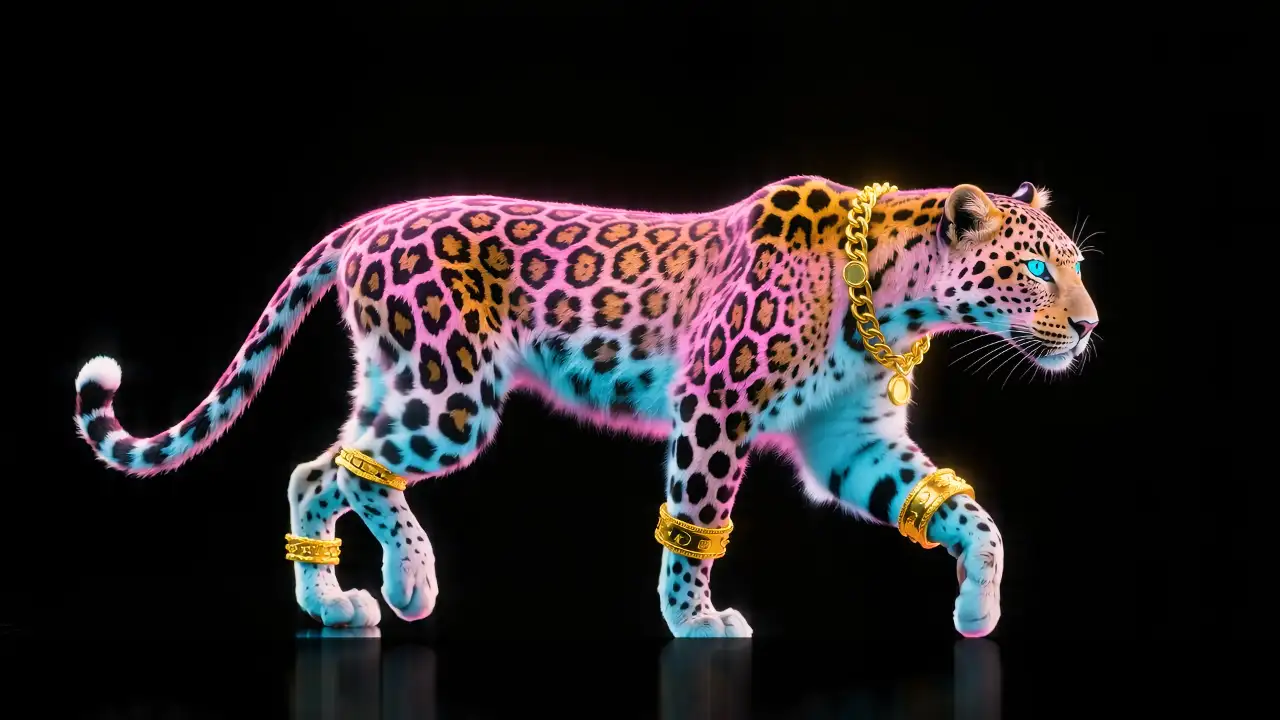
So, yesterday I released a new VJ Loops Pack – Glamour Animals (50 clips in 4K, Mov ProRes & Mov DXV – 99eur Standard License) created with one of the paid AI services. It turned out to be a beautiful pack featuring isolated glamorous pink fashion animals in motion on a black background — perfect for video mixing with other VJ footage. Then today, opening my Facebook, I saw this comment…

At first it stung a little, but then I remembered that about six months ago I held exactly the same position when I was just starting to explore AI video generation tools. At first glance, it seems like you just type 2–3 words into a prompt field, hit Generate, and immediately get perfect video content.
I had those illusions too — until you come face to face with the actual production process and realize how much time it really takes and what kind of results it actually delivers.
I also thought that by paying $100–150 for a monthly subscription, I’d crank out tons of beautiful content. But the reality is quite different. Not just “a little” different. Before diving into the pros and cons and the real challenges, let’s first look at the pricing of the main AI online video generators. I’ll cover only the leading ones with models capable of delivering genuinely interesting results.
There are just 6:
Luma Dream Machine
Google Veo 3.0–3.1
Seedance 2.0
Runway
Wan
Kling
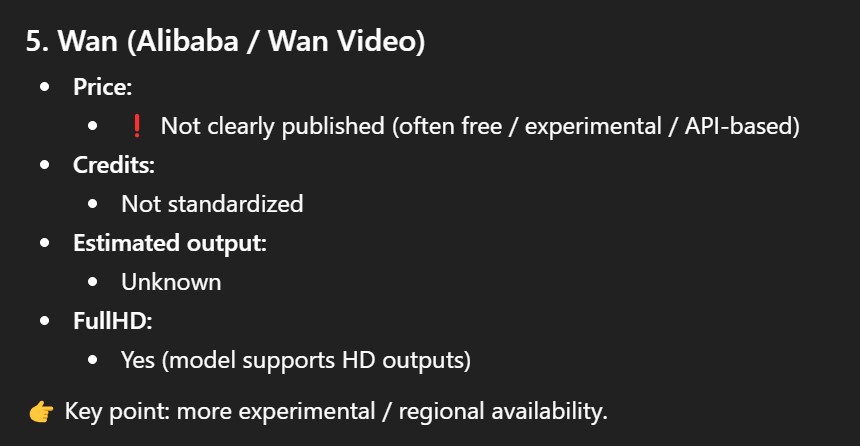
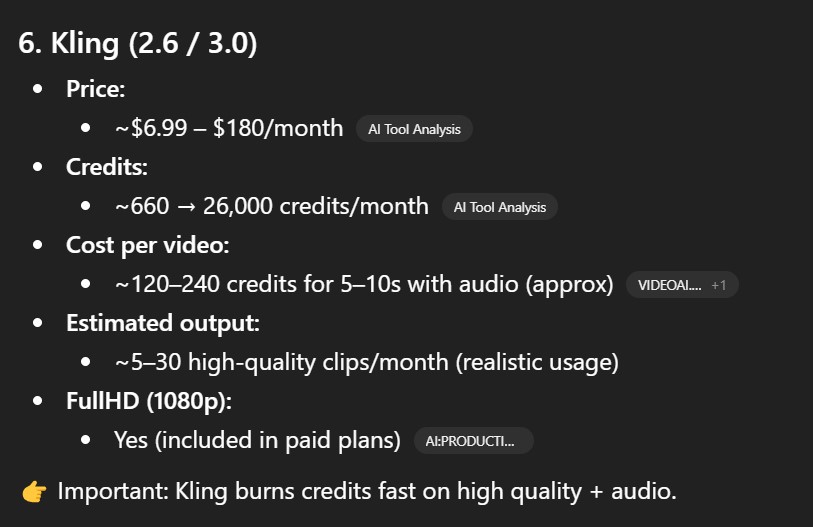
The Real Price of AI Video Generation: What Subscriptions Actually Get You
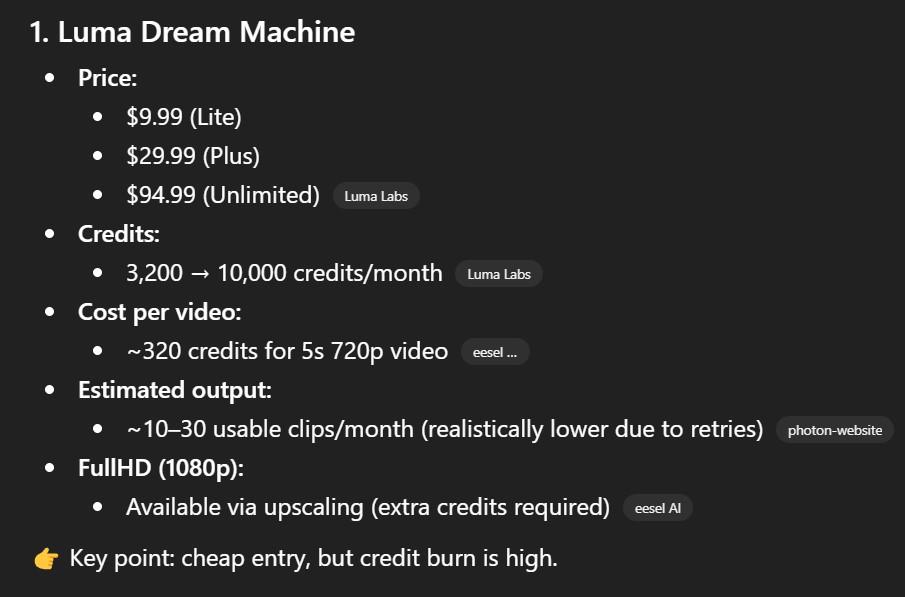
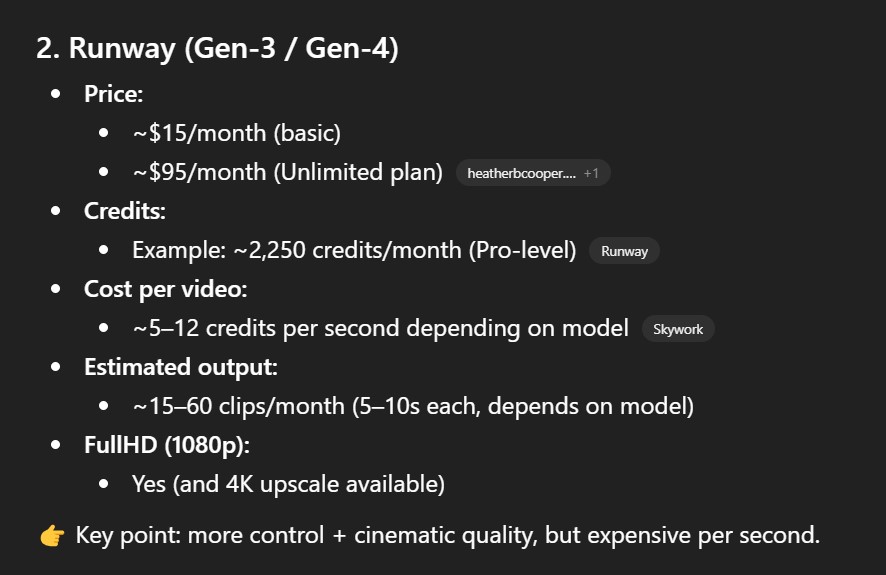
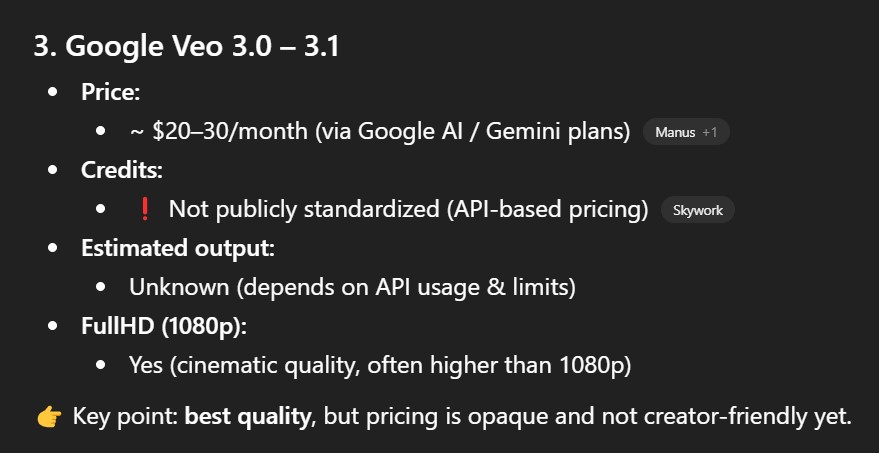
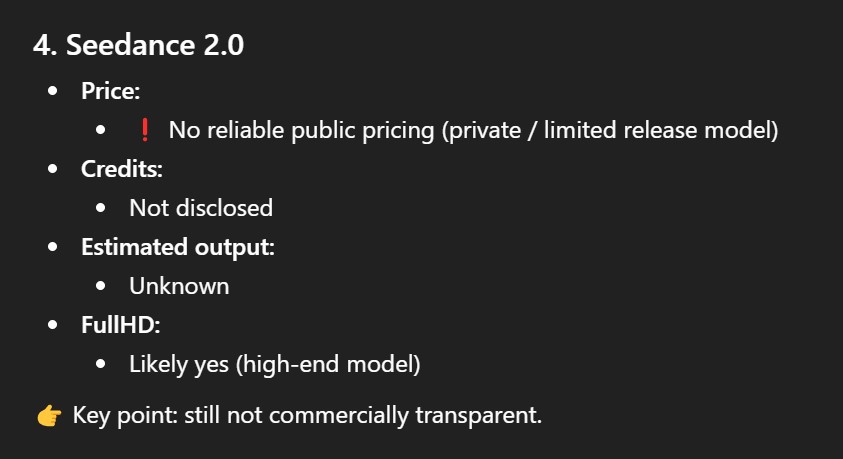
Pricing for video generation in the main online video generators, according to ChatGPT data for April 2026.
As you can see, on average a subscription costing $90–170 gives you enough credits for roughly 40–60 videos of about 10 seconds each in Full HD. With some generators, that drops to 20–30 videos. There are various subscription tiers, but even with a rough average, you’re looking at about $120 for 40 clips of 10 seconds each in Full HD.
Now let’s get into the real math.
Why 30–50% of Your AI-generated clips will end up in the trash
First, not all generators offer Full HD — some work in HD (1280×720). Second, even with a well-crafted prompt and using all your credits across, say, 50 generations, there’s no guarantee every video will have good quality, proper consistency, no frame glitch, or that it will accurately follow your prompt.
That means roughly 30–40% — sometimes nearly half — of those 50 generated videos will be garbage
that needs to be deleted immediately, so it doesn’t clutter your storage or your attention. And no one will refund credits for failed generations.
So in practice, your monthly subscription might yield around 20 usable videos at best — and even those will need additional work. And that’s assuming you already know what you’re doing with AI generators! You know where to click, which buttons to press, and you have your prompts ready to go. If you don’t, be prepared to spend 4–5 or even 6 monthly subscriptions just figuring out how your video generators and its models work — which prompts suit which model, what one model handles better than another…
And note: I’m talking about just one generator.
There are 6 major ones, so feel free to multiply everything by 6 if you want to get a solid grasp of each model and produce consistently decent results.
But this is only about money & credits.
And that’s not even the most important part.
The most important thing is time and usability. Let’s revisit the same scenario: you’ve bought a monthly subscription (money spent), generated 50 videos (time spent), and now you need to sort through them and delete roughly half (content management — more time). Then you need to upscale everything to 4K, and here you have two options: either use the same model that generated the content — which means spending more credits, further raising the effective cost or reducing your actual output to around 10 clips — or buy an annual subscription to something like Topaz AI for around $280, which lets you upscale roughly 300 video clips per month. Either way, it’s an additional cost in both money and time. And time is the most important thing.
Let’s say you’ve handled that too. Next, you need to loop these videos. That requires After Effects — yet another subscription, around $30/month. Then you need to spend a significant amount of time creating a loop for each clip and rendering them individually. All of that is time — your time.
Finally, there’s the conversion to DXV format, since no video generator has yet mastered either smooth loop animation or DXV export. When you add it all up, a standard set of VJ clips — even just 20 looped clips in 4K — won’t cost you a $100 monthly subscription. It’ll run you approx. $500 or more, plus many hours, days, and even months to learn how to make it all work. You’ll need to invest a lot of time and attention!
And that raises the question: if you want to be a motion designer, you won’t have time for VJing, client work, getting gigs, and so on. What do you enjoy more?
Oh, I almost forgot to mention the various online aggregator services — platforms that combine multiple models via API. Their advantage is convenience, having everything in one place. But the big downside is that video generation costs significantly more than going directly to the developers. On top of that, some aggregator sites have less-than-transparent pricing and marketing practices — they may quietly drain your credits or nudge you toward more aggressive generation. I won’t name names here; if you’re curious, look up the major AI aggregator sites on Reddit or other forums…
Free AI Video Generators
Also — worth noting that I haven’t mentioned free video models you can run locally, like the all-in-one ComfyUI setup. Speaking from personal experience: I use both paid and free models for generation. But everything related to free models will take you 5–10 times more time than paid ones. On top of that, you need a significant upfront investment in hardware.
So you’re welcome to try it and discover for yourself that it’s quite a substantial amount of work and investment — something that shouldn’t be dismissed or undervalued.
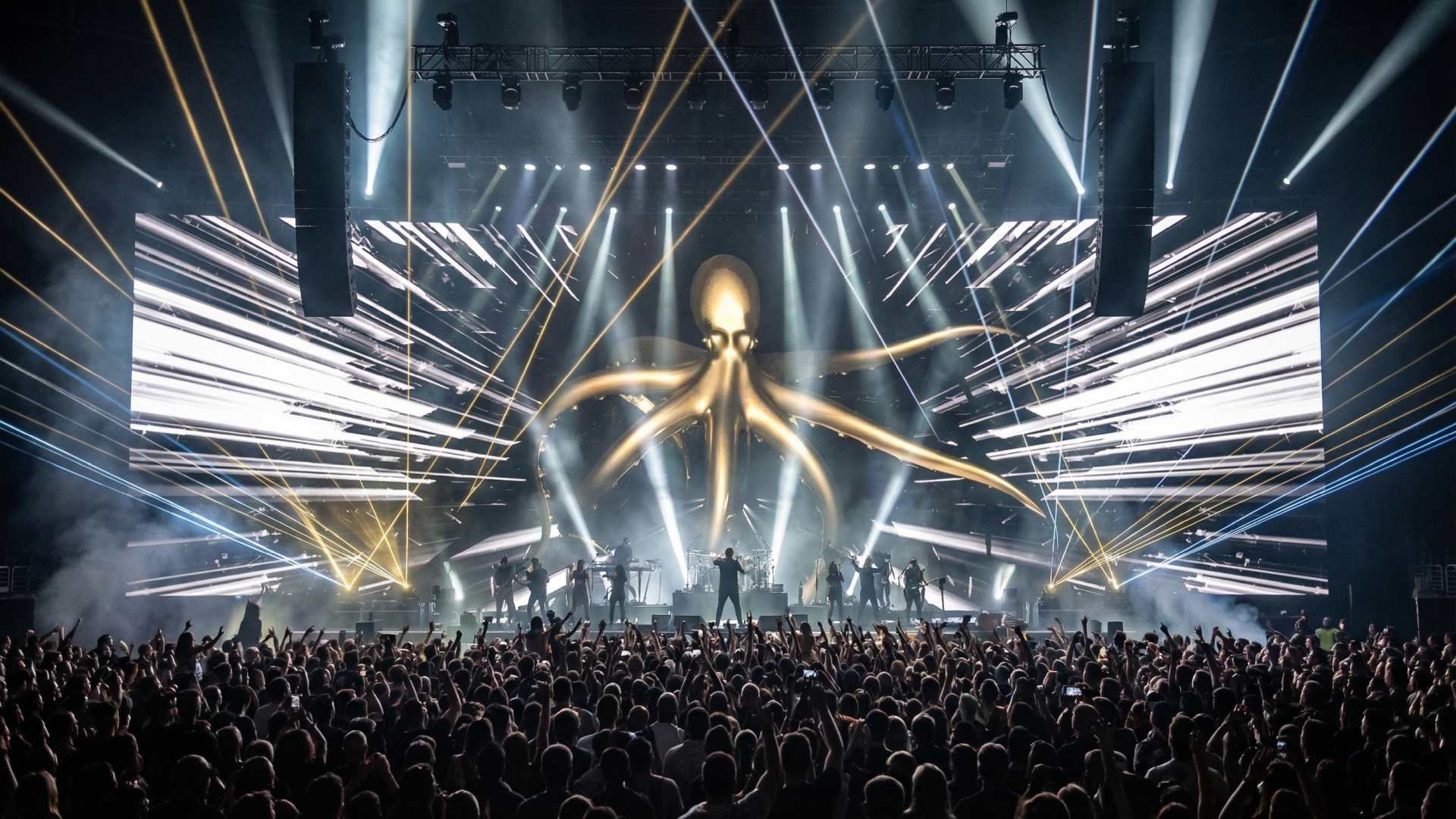
Competitor Pricing for VJ Loops
By the way, yesterday I looked at pricing from our “competitors.” And the price for a VJ collection of 20 clips has stayed essentially static — pretty much across the board:
20 clips Full HD — €79–89
20 clips 4K — €99, and with some competitors even higher…
At LIMEARTGROUP.com, we offer the best price-to-quality ratio. Most importantly, my work and my entire workflow are designed to respect both my time and my clients’ time. We absorb additional costs so we can deliver multiple encoding formats right away — MOV ProRes & MOV DXV — and we use a double or triple upload system to get content to our wonderful clients faster: via our own server, Google Drive, and MEGA cloud.
It’s also worth mentioning that by becoming a LimeArtGroup VJ Loops Shop client, you get access to the VJ Starter Pack and other free visuals and free vj loops from our library, as well as support from our customer support managers.
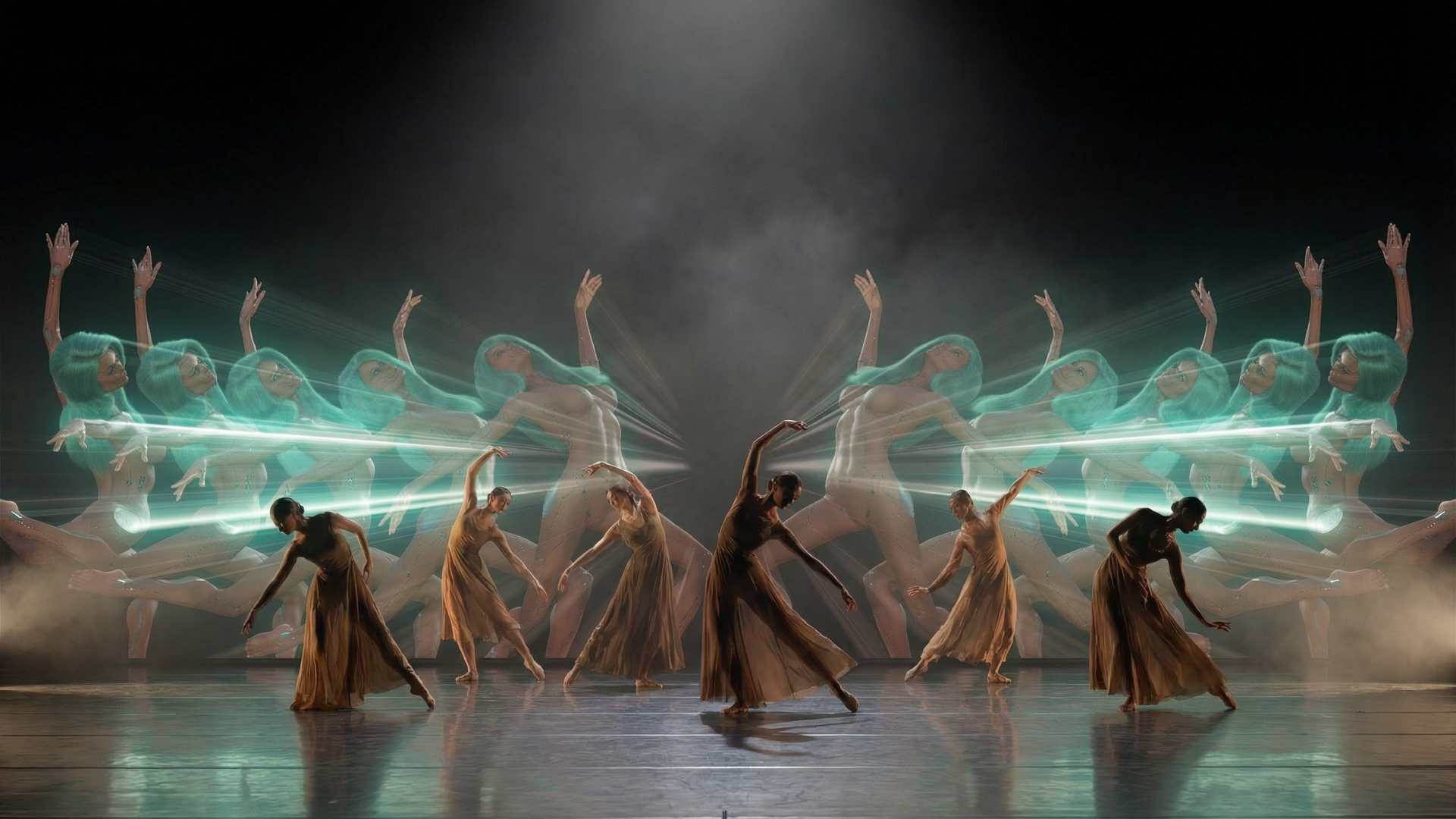
And finally…
Please note that in this article I haven’t touched on added value, branding, or — most importantly — the author’s style and taste. The visual language of the content.
I remember creating visuals for Fashion Week where the client asked for simple vertical lines and basic 2D motion — something anyone who’d watched a few After Effects tutorials on YouTube could pull off — but purely because it was Fashion Week, we were paid around €3,000 for a handful of those video clips.
So never forget that people can pay very large sums of money simply to be associated with a particular brand. And they genuinely don’t care whether it was made in Sora, Veo 3, After Effects, Unreal Engine, drawn by hand, or shot on a video camera. A great many clients come to us because our style stands out from the rest.
Over the past 10 years, I’ve created more than 100 VJ loops packs — without AI.
Today we also use AI models to generate quality content for you, and most importantly, to save your time. AI opens up a wider palette of options, but even here, authorial oversight is essential — something we handle, shape and deliver to you in the best possible resolution and format.
The one thing that can devalue content is sheer volume — and that volume grows every day. But there’s also strength in that, because it will create a sharp divide between neural slop and creators who actually have taste…
I’ll be honest with you though: on the LimeArtGroup website, we have a wide range of content — from mass-market materials to pieces shown in high-end art galleries from New York to Tokyo.
So if you find yourself thinking that a particular piece of content isn’t worth the price, here are your options:
- You can purchase a VJ Loops Kit — over 100 collections on a single SSD drive — saving up to 60% by buying it as a bundle. Priority support is included. Or browse our Bundles category.
- You can try creating your own collections using AI. No one is stopping you. Spend a lot of nerves, time, and money learning to get a good result — while in the meantime, your “competitors,” other VJs or companies, will move far ahead of you, picking up your events while you’re clicking buttons at home or in the office.
- If €99 feels too high, check out our partner project VJloops.AI, where 20 clips cost around €49–59, or VJLoopsFarm.com, where you can buy single clips for €5–15 each — genuinely lower prices than on the major platforms like Shutterstock, Adobe Stock, Envato, or Pond5.
- You can wait for summer or winter sales, or simply message me and ask for a discount. If you’re already a client and follow me on Instagram @alexanderkuiava or @limeartgroup, there’s a good chance we’ll offer you 30% or even 40% off.
And one more thing: the more you purchase content from us, the more motivated I am to create content more often, experiment with models and LoRAs, and keep raising the quality of our products and the ease of delivery. Working with AI models is just as much work as working in Cinema 4D. It takes just as long. Try it yourself and you’ll understand. Either way — we welcome everyone to our new AI Visuals Content category on the LimeArtGroup website.
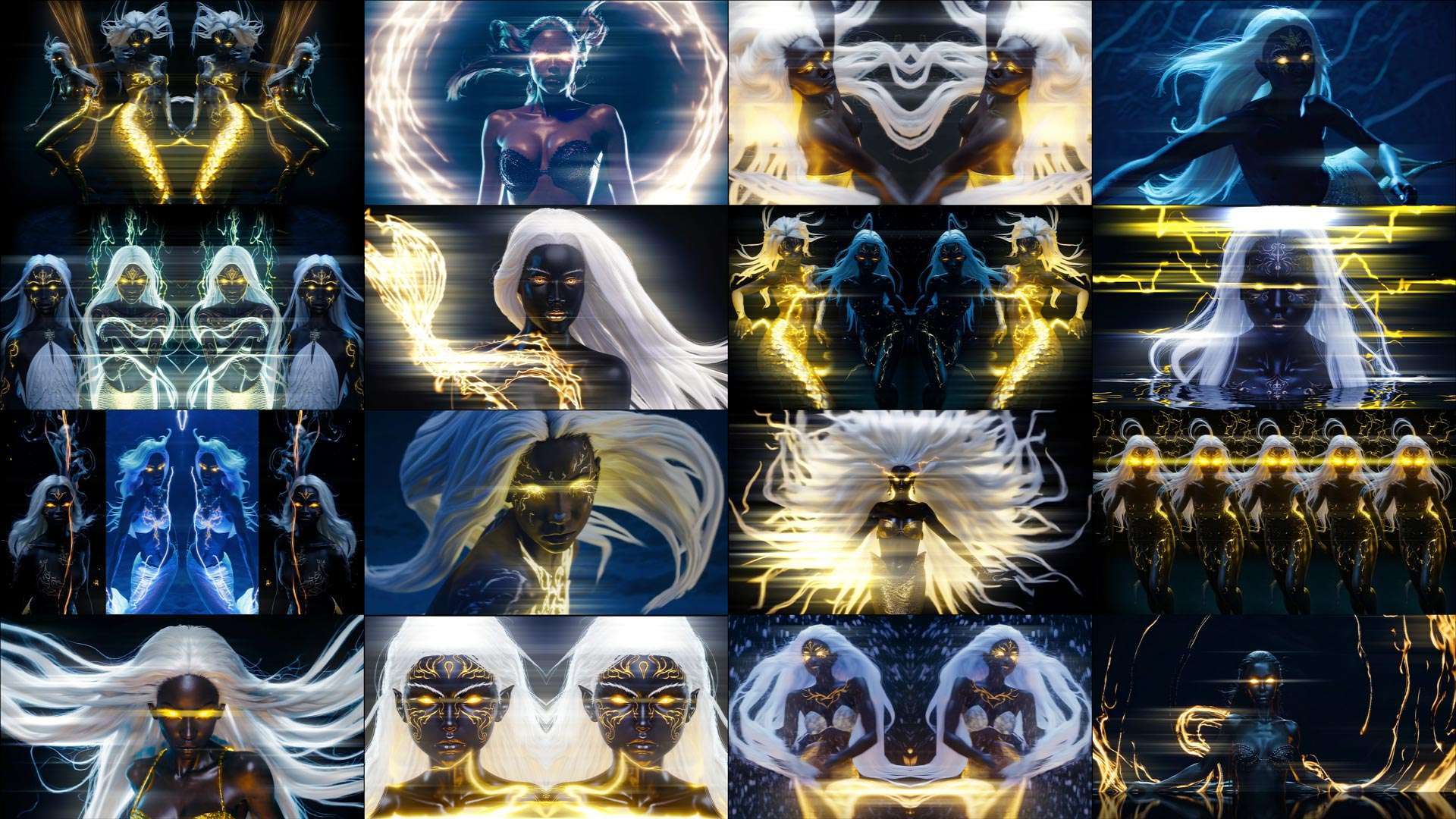
AI Visuals
New-Gen Visuals by LIME ART GROUP






Best wishes from Vienna,
Thanks for your attention, faithfully yours,
Alexander Kuiava – Founder & CEO LIME ART GROUP
https://alexanderkuiava.com/
