

Best MIDI Controllers for VJs and Visual Artists in 2026
The article is written by a human. Mistakes have been edited by AI.
Last checked: July 2026. Prices drift — treat them as street-price anchors, not quotes.
When I first published this guide, I recommended the Livid Instruments OHM RGB and the DS1. Livid no longer exists. I also put the Akai APC40 mkII near the top — and Akai has since discontinued it. So this is not a cosmetic refresh with a new year in the title. Half the hardware in the original version is now used-market gear, and the controllers that replaced it work differently enough that your mapping habits have to change too.
Who this article is for: working VJs and visual artists who already run Resolume, MadMapper, Modul8 or VDMX on a laptop and are buying their first or second controller with real money — not producers looking for a DAW surface.
What it solves: the market shifted under our feet. The scene-standard controller is out of production, the used market is inflated, and most “2026” lists still recommend gear you cannot buy new.
What you get by the end: a shortlist matched to your kind of gig, verified July 2026 prices, and a two-controller rig plan you can order today.
Hello dear VJs and clients of LIME ART GROUP. I am new media artist Alexander Kuiava, and since 2012 our studio has produced over 100 VJ Loops Packs for clubs, festivals, theatres and projection shows. Controllers are the other half of that job: content is what you play, the controller is how you play it.

The short answer: which MIDI controller should a VJ buy in 2026?
If you want one line: buy a grid controller for clips and a knob controller for effects. One box almost never covers both well.
Here is the fast lineup, by situation:
| Your situation | Buy this | Street price (July 2026) |
|---|---|---|
| You want the scene-standard layout | Used Akai APC40 mkII | $400–650 used |
| First controller, buying new only | Akai APC64 | $399 list, often ~$249 on sale |
| You need knobs and faders, mixer-style | Novation Launch Control XL 3 | $249.99 |
| Second controller for effects | MIDI Fighter Twister | from $182 |
| Tight budget, need everything | Akai MIDImix | from $88 |
| Smallest possible bag | Korg nanoKONTROL2 | from $53 |
| Cheapest build with LED feedback | Behringer X-Touch Mini | ~$71 |
| You want to design your own surface | Intech Studio GRID modules | $120–166 per module |
| You want snapshots and morphing | Neuzeit Instruments Drop | $785–934 |
| One tiny box with a crossfader | Faderfox UC4 | ~$333–400 |
Everything below explains why, and where each one hurts.
What changed since the last version of this guide
Three things, and all three matter more than any new feature announcement.
The Akai APC40 mkII is discontinued. Akai pulled it to clear space for the APC64. New stock is drying up and second-hand listings have climbed past $650 in some markets. This is the biggest change in VJ hardware in years, because the APC40 mkII was the default — the one you could assume a colleague on the bill would also own.
Livid Instruments is gone. The OHM RGB and DS1 were genuinely great VJ surfaces. The company is defunct, the products are legacy, and there is no warranty path. If you own one, treat it as irreplaceable and travel with a backup.
Native Instruments discontinued Maschine Jam. It was never a perfect VJ controller — no knobs — but its touch strips were unusual and some VJs built whole sets around them. That door is closed too.
Meanwhile a few genuinely new things arrived: the Novation Launch Control XL 3 added a screen and endless encoders to a surface VJs already trusted, the Neuzeit Instruments Drop brought snapshot morphing into the parameter-controller category, and Intech Studio’s GRID matured into a modular system you assemble yourself.
Notice what nobody else will tell you: several “best MIDI controller for VJing 2026” articles currently ranking on Google still list the APC40 mkII at “about $300 street” as a live buying recommendation. That price no longer exists. Check the date on any gear list before you spend money on it — including this one.
The three controls that actually matter
Strip away the marketing and a VJ controller is three things: buttons, faders, knobs. If a controller has all three in usable quantities, it will work. If it is missing one, you will fight it every show.
- Buttons trigger clips, fire strobes, toggle effects, switch decks and banks.
- Faders ride layer opacity and master output. This is the control you touch most, and the one cheap controllers compromise first.
- Knobs hold effect parameters: speed, blur, hue rotation, zoom, mix amount.
Two refinements separate a controller you tolerate from one you play.
Endless encoders beat pots
A pot has a physical start and end. Map one pot to four different clip parameters and the value jumps every time you switch targets, because the knob’s physical position no longer matches the software value. An endless encoder has no start or end — it sends relative movement, so the same knob can serve dozens of parameters without a single jump.
This is why the MIDI Fighter Twister earned its reputation, and why Novation moving the Launch Control XL 3 to endless encoders was the right call even though it removed the centre detent some people liked.
LED feedback is not decoration
MIDI is two-way. Your software can send state back to the controller. In practice that means a button lights yellow when a clip is cued, red when it is playing, green when it is loaded, and stays dark when the slot is empty. An LED ring around an encoder shows you where opacity actually sits before you touch it.
The reason this matters has nothing to do with looks. On a dark stage with strobes firing, you cannot read your laptop screen reliably. LED feedback lets you keep your eyes on the output — the screens the audience sees — instead of on your interface. That is the whole job. It also means the material you load has to read clearly at a glance, which is why we build our ready-made VJ Clips collections around recognisable, high-contrast motion rather than busy detail.
The honest limitation of grid controllers
Here is a complaint about the APC-style grid I agree with, and it comes from VJs who use them daily: a grid of coloured buttons tells you a clip exists, but not which clip. You know slot 3 in bank 2 is loaded. You do not know it is the eagle, not the pumpkin. You memorise your layout, or you glance at the laptop.
That is the case for putting a touchscreen or a Stream Deck with thumbnails next to your grid — covered further down. It is also why some experienced VJs skip big grids entirely and drive clips from a second screen while keeping their hands on knobs.
VJ Clips for Club & Festival Sets
Royalty-free visuals in ProRes and DXV — ready to map
-
VJ Loops Pack Vol.41 – Goldfrau
79€ -
VJ Loops Pack Vol.29 – Glitch Backgrounds
89€ -
VJ Loops Pack Vol.17 – Main Element
99€ -
VJ Loops Pack Vol.28 – DecoLines
99€ -
VJ Loops Pack Vol.18 – Abstract Background Textures
89€ -
VJ Loops Pack Vol.11 – Really Madonna
89€ -
VJ Loops Pack Vol.12 – Interstellar Hypergate
59€ -
VJ Loops Pack Vol.1 – Smart Lines
99€ -
Vj Loops Pack Vol.26 – Gilded Roots
99€ -
Sale!
VJ Loops Pack Vol.8 – Black Rays
Original price was: 89€.69€Current price is: 69€.





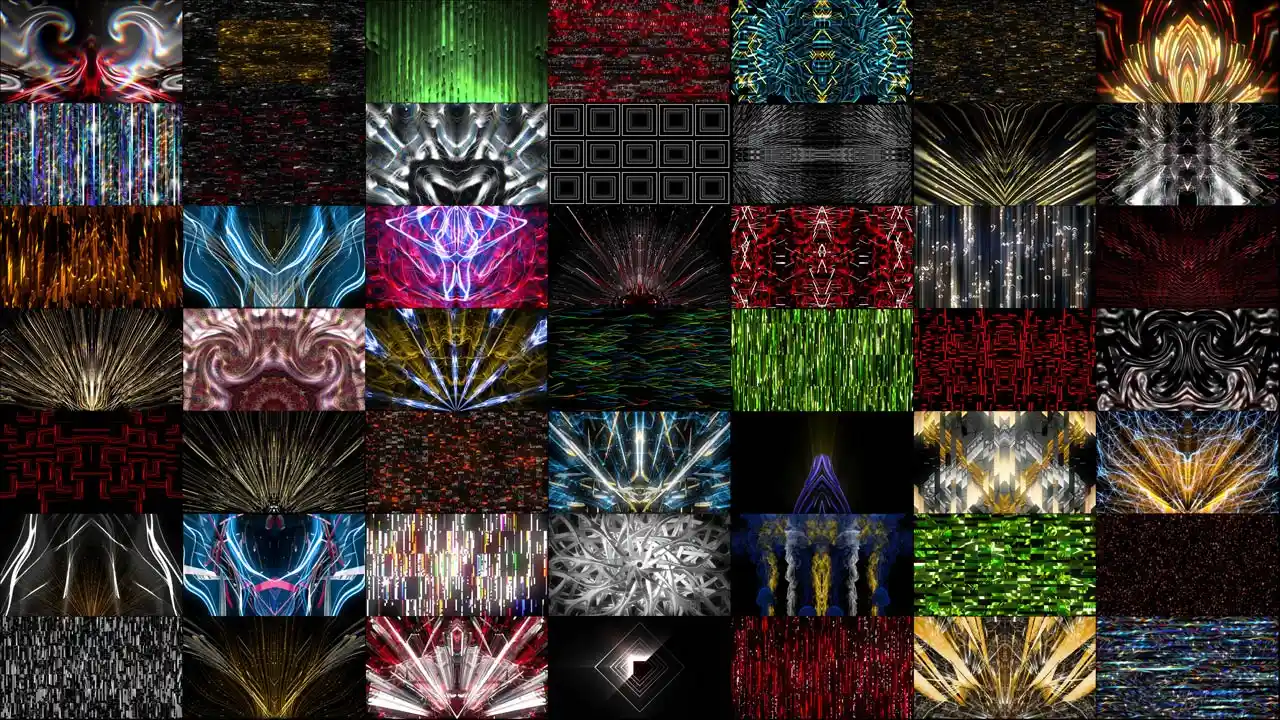

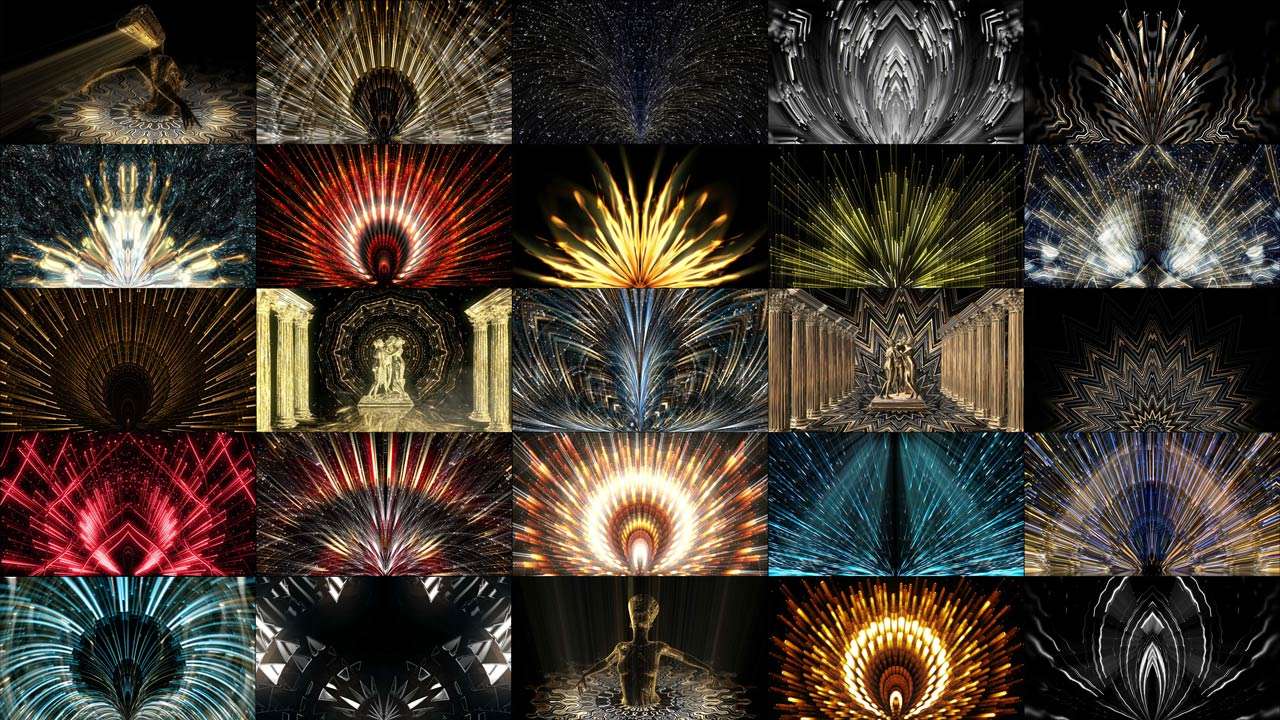

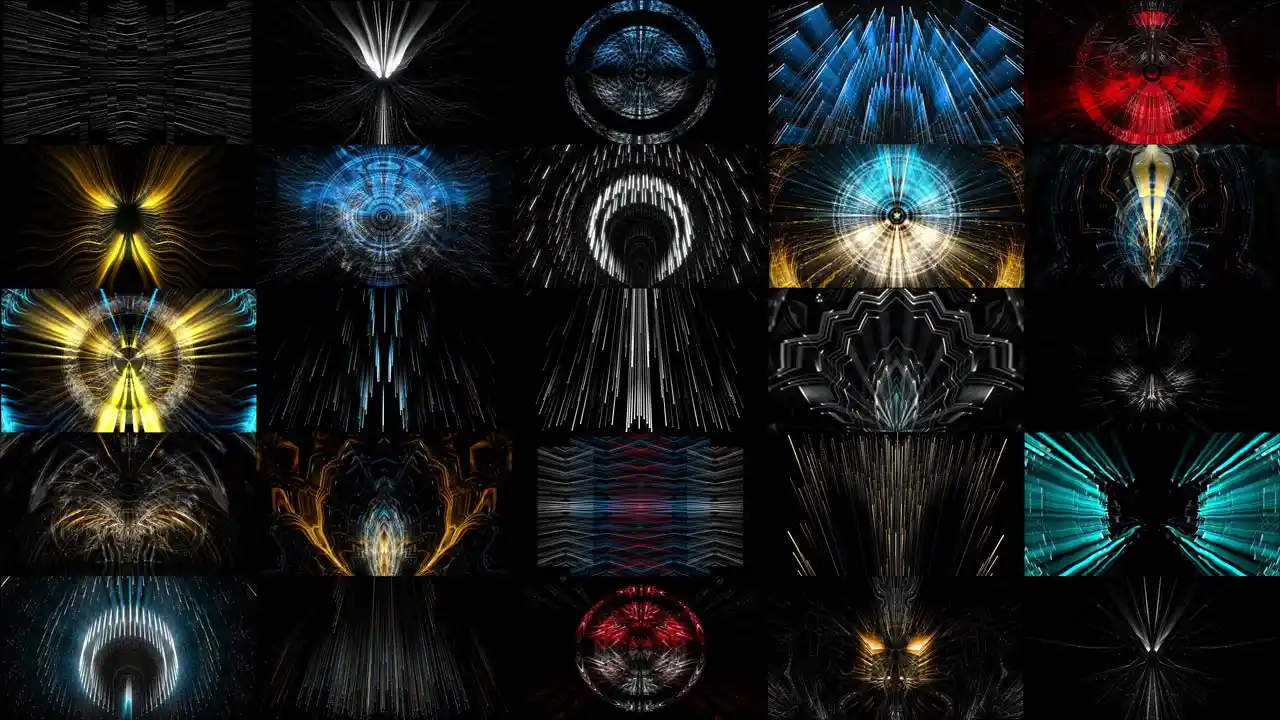



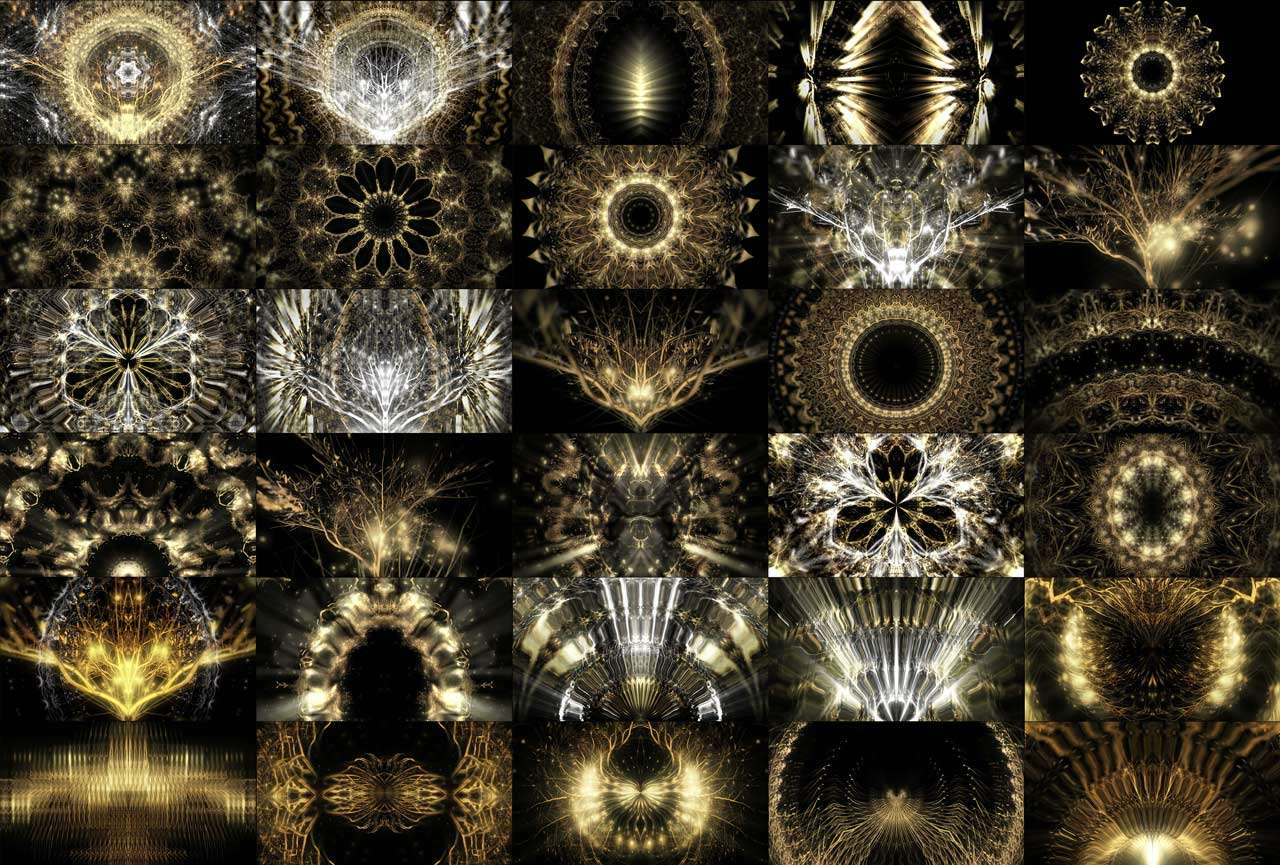

Best MIDI controllers for VJs in 2026
Thirteen options, ordered roughly by how often I would actually recommend them. Every entry gets the honest downside, because a list where everything is excellent helps nobody.
1. Akai APC40 and APC40 mkII — the dinosaurs that still rule the used market
Let me be blunt: the APC40 mkII is still, layout for layout, the best VJ controller ever mass-produced. Discontinuation does not change that. It just moves the purchase to eBay, Reverb and the back rooms of rental companies.
Why it earned the crown: a 5×8 clip-launch matrix that mirrors how a Resolume composition is laid out, nine faders including a crossfader, eight knobs across banks, a metal chassis, and full RGB LED customisation on every pad. It is roughly the footprint of a large laptop, so it fits in a backpack alongside your machine.
The hidden superpower nobody designed on purpose: it became the scene standard. If yours dies at 1am mid-set, there is a real chance another VJ on the bill has one, and your Resolume mapping file loads onto theirs unchanged. No other controller offers that insurance.
The original APC40 (mk1) deserves mentioning in the same breath. Built like furniture, still working in clubs a decade later, and cheaper used than the mkII. It lacks the mkII’s RGB LEDs and refined pads, but the layout logic is identical — and for a lot of VJs that layout is the entire point.
Downside: out of production, inflated prices, and you are buying hardware with unknown gig-hours on the faders. Faders fail first. Ask the seller to video every fader sweeping full travel and every pad lighting up before you pay.
Buy it if: you want the standard layout and the shared-mapping insurance, and you can find one at a fair price from a seller who will demonstrate it.
Skip it if: you refuse to buy used gear or you need a warranty.
2. Akai APC64 — the official successor
Price: $399 list, frequently around $249 on promotion.
This is what Akai built in the APC40 mkII’s place. An 8×8 grid of 64 velocity-sensitive RGB pads with polyphonic aftertouch, eight assignable touch strips with RGB indicators, a 32-step sequencer, CV/gate outputs, TRS MIDI in and out, USB-C, and standalone operation.
For VJs, the interesting parts are the bigger 8×8 grid and the touch strips. Velocity sensitivity means a pad can send a range, not just on and off — hit softer for lower opacity, harder for full. Touch strips give you fader-like gestures without physical faders.
Downside: and it is a real one — no rotary knobs and no proper faders. The touch strips are clever, but they do not feel like a fader under your finger, and you cannot park a strip at 60% the way you rest a fader. VJs coming from an APC40 mkII generally do not describe the APC64 as a replacement. It is a different instrument that happens to share a product line.
Buy it if: you want new hardware with a warranty, a big grid, and you will pair it with a knob box.
Skip it if: faders are central to how you mix layers.
3. Novation Launch Control XL 3 — the best all-round new buy
Price: $249.99 / £189.99.
If someone asked me for one new controller to buy today with no other context, this is my answer. Novation took a surface VJs already used and fixed its three weaknesses.
What is new versus the Mark 2:
- An OLED screen. Small, but it names the parameter you are touching and shows its value. On a Mark 2 you memorised everything. Reading “Layer 3 Opacity 47” on the controller is worth more than it sounds.
- Endless encoders instead of pots. All 24 of them. No more value jumps when you change targets.
- Full-colour RGB LEDs — sixteen colour choices instead of four, so you can colour-code your layout meaningfully.
- Full-size MIDI in, out and thru. The Mark 2 had no MIDI I/O at all. You can now drive hardware without a computer in the chain, or merge incoming MIDI.
- Fifteen custom modes you can name, so each mode can be a different song or a different show.
The layout is mixer-style: 24 encoders in three rows, eight 60mm faders, sixteen buttons, plus transport. For a VJ that maps beautifully — faders for layer opacities, top encoder row for signature effects, second row for colour, third for geometry.
Downside: endless encoders removed the physical centre detent, so you can no longer feel when a bipolar parameter sits at zero. In some DAW modes the encoder LEDs do not reflect parameter value — in custom modes they do, which is what VJs use anyway. There is also an unassigned button on the panel that currently does nothing; Novation has hinted at a firmware update without saying what.
Novation also released a smaller Launch Control 3 ($169.99 / £129.99 / €126) without faders. Cheaper and more portable, but for VJing I would pay the difference for the faders.
Buy it if: you want one new controller that handles opacity and effects well, with a screen and no jumping values.
Skip it if: you need a clip grid — this is a parameter surface, not a launcher.
4. MIDI Fighter Twister — the second controller almost everyone ends up buying
Price: from $182.
You will run out of knobs faster than you expect. The Twister is the answer, and it has been the answer for a decade.
Sixteen high-resolution endless encoders in a six-by-six-inch metal box. Every encoder is also a push button. Four banks multiply that to 64 controls. Each encoder has an RGB LED ring showing its value, and you can assign colours per function — red for anything destructive, green for safe, whatever scheme you can remember in the dark.
Two details that matter and rarely get explained. First, high resolution: standard MIDI gives you 128 steps (0–127). Map that to a 360-degree rotation parameter and your finest possible adjustment is nearly three degrees. The Twister’s 14-bit encoders give far finer control, which you notice immediately on rotation, zoom and blur. Second, build quality: this thing survives years of being thrown in a bag. The encoders feel identical on day 2000 as on day one.
Downside: no faders at all, and it is not cheap for sixteen knobs. Buy it as a second controller, not a first one.
Buy it if: you have a grid and need effect control that feels good.
Skip it if: it is your only controller — you will miss faders badly.
5. Akai MIDImix — the best value in the category
Price: from $88.
Twenty-four knobs in three rows of eight, nine faders, sixteen buttons, plus a master fader. For under a hundred dollars that is an absurd amount of control surface, and the layout is essentially a Launch Control XL at a third of the price.
Downside: the build. Faders are short-travel and plasticky, knobs have no LED feedback, there is no screen, and nothing is an endless encoder — so you will fight value jumps. It will not survive years of festival abuse the way a metal-chassis controller does.
Buy it if: you are starting out, or you need a cheap dedicated knob box beside a grid.
Skip it if: you tour and your gear gets handled by other people.
6. Intech Studio GRID — build the controller you actually want
Price per module, official shop, July 2026: BU16 (16 buttons) $120, EF44 (4 encoders + 4 faders) $157, EN16 (16 encoders) $166, PBF4 (4 potentiometers + 4 faders) $129. Retailers list higher with VAT.
The most interesting thing to happen to VJ hardware in years, and it comes from a small Hungarian company, Intech Studio, with an open-source mindset and an active Discord community.
GRID modules are square control blocks — buttons, encoders, potentiometers, faders — that snap together magnetically on any of four sides. The whole assembly shares power and data through a single USB-C cable. Add a module for a bigger show, leave it home for a club gig. Modules send different MIDI depending on their relative position, so you can stack several identical modules without data collisions.
They work in Resolume out of the box: plug in, start mapping. Then, if you want, go deeper. The Grid Editor lets you rewrite behaviour at a low level, and you get button modes Resolume does not have natively — genuine two-step and three-step toggles, so one button can cycle through three states. You can write conditional logic (“if that button is on, send this on a different channel”), and even have a module drive your mouse and keyboard.
You can approximate almost any classic controller with the right combination: a BU16 plus EN16 lands close to a MIDI Fighter pair; EF44s plus BU16s get you into APC40 territory; PBF4s and PO16s approximate a Launch Control XL.
Downside — important for touring VJs. The modules are light. Magnets hold well, but if you are heavy-handed on faders they can shift, and in extreme cases separate just enough to blink out for a moment before reconnecting. Intech has been prototyping weighted bases and sells racks and mounts. Second, all those exposed edge connectors collect grime, and a dusty outdoor festival is exactly the wrong environment; a cleaning kit ships in the box and you will use it. Third, the encoders are detented — you feel each step — which is worse than a smooth sweep for gradual parameter changes. Fourth, LED feedback is a single LED per control rather than a ring, so it is less precise to read than a Twister.
Buy it if: you mostly play indoors, you enjoy customising, and a fixed layout annoys you.
Skip it if: you are a travelling outdoor festival VJ who wants gear you never think about — or budget a hard case and accept higher maintenance.
7. Neuzeit Instruments Drop — snapshots and morphing
Price: $785 / £709 / €799 at Thomann; around $934 at some retailers.
A new category rather than a better version of an old one. The Drop has 32 rotary knobs that double as push encoders, eight buttons and eight faders — doubled again by two simultaneous layers, A and B. Each control can hit up to eight MIDI targets, so one knob can move eight parameters at once.
The real feature is snapshots. A snapshot stores the position of every knob and fader and the state of every button. You get 20 banks of 20 snapshots, and you can move between them two ways: a jump, whose transition time you set with a dedicated knob — instant, or stretched over bars — or a drop, a pre-programmed immediate transition you can set to repeat on a musical interval.
Think about what that means for a visual set. You build a safe state, go wild mangling parameters, and know the controller will snap everything back on the downbeat every four bars. Or you chain snapshots to plan out an entire piece with automated parameter transitions. That is not something a normal MIDI controller can do.
Build is a metal case in black and gold, no knob wobble, dedicated power input, two USB ports, micro SD, CV in and out, and four TRS MIDI ins plus four TRS MIDI outs — switchable between TRS type A and type B, which solves a genuinely annoying compatibility headache.
Downside: the price, obviously. It is also designed with synthesists in mind, so the bundled CC libraries target hardware instruments, not VJ software — you will use MIDI learn instead. And there is a real learning curve, though the interface is friendlier than the feature list suggests.
Buy it if: you run structured audiovisual sets where transitions are composed rather than improvised, and the budget exists.
Skip it if: you play club sets reacting to a DJ. You will not use the snapshot system enough to justify it.
8. Korg nanoKONTROL2 and nanoKONTROL Studio — the backpack option
Price: nanoKONTROL2 from $53; nanoKONTROL Studio from $122 (around $190 at some retailers).
The nanoKONTROL2 is eight faders, eight knobs and a row of buttons per channel in a slim rectangle that disappears into any bag. It is the cheapest way to get real faders under your fingers.
The nanoKONTROL Studio is the bigger sibling: eight faders, eight knobs, backlit switches, transport controls, an assignable jog wheel, and Bluetooth as well as USB — which genuinely matters if you want the controller off the table and in your hands.
Downside: everything is small. Short faders, tiny buttons, no room for error in the dark, and no RGB feedback on the nanoKONTROL2. It is a supplement, not a centrepiece.
Buy it if: you fly to gigs, or you want faders next to a grid without adding bulk.
Skip it if: you have large hands, or you play in near-darkness without drilling the layout first.
9. Behringer X-Touch Mini and X-Touch Compact — cheapest respectable build
Price: X-Touch Mini around $71.
Eight rotary encoders with LED collars, sixteen illuminated buttons and a 60mm master fader in a compact body. The LED collars are the reason to pick this over an equally cheap alternative — you get value feedback at a price point where that is unusual.
The larger X-Touch Compact adds proper faders, more buttons, and — worth noting for VJs — a footswitch connector and a foot controller input.
Downside: one fader on the Mini, and Behringer’s ergonomics are functional rather than pleasant. Encoder feel is not in Twister territory.
Buy it if: you need LED feedback on a strict budget, or you want foot control (Compact).
Skip it if: you want something that feels good to play for hours.
10. Faderfox UC4 — the small box with a crossfader
Price: roughly $333–400 depending on retailer.
Made in Germany, largely by one person, and it shows in the density. Eight 14-bit push encoders, nine faders including a crossfader, eight buttons, a four-digit LED display, and eight switchable control groups giving up to 264 assignable parameters. It stores 18 setups.
The crossfader deserves its own sentence. Outside the APC40 family, almost no non-DJ controller includes one — and A/B deck crossfading is a core VJ move. Getting it in something this small is rare.
Downside: price per physical control is high, the display is minimal, and the small format means fiddly controls. The workflow assumes you enjoy reading manuals.
Buy it if: you want maximum function in minimum space and you specifically want a crossfader.
Skip it if: you want big comfortable faders.
11. Novation Launchpad X and Launchpad Pro MK3 — grids without knobs
Price: Launchpad X from $155.
An 8×8 grid of velocity-sensitive RGB pads. Cheap, light, reliable, everywhere. The Pro MK3 adds polyphonic aftertouch, more buttons and MIDI I/O.
For VJs this is a clip launcher, full stop. No knobs, no faders. Pair it with a MIDImix, a Launch Control XL 3 or a Twister and you have a complete rig for less than a used APC40 mkII.
Downside: pads only, and a plastic body — fine in a padded bag, less happy under a spilled drink.
Buy it if: you want a big grid cheap and you already own knobs.
Skip it if: you want one box to do everything.
12. Traktor Kontrol F1 — built like a tank
Four knobs, four faders, sixteen pads, in a thin rectangle that slides into a hard case with room to spare. Fewer controls than anything else here, but serious shows run off these because the build inspires confidence.
Downside: it is a Traktor product, so setup can involve the Native Instruments ecosystem before it behaves as a plain MIDI device. Control count is genuinely low.
Buy it if: durability and pocketability outrank feature count.
Skip it if: you need many parameters at once.
13. BitchBoy — the first controller designed by VJs, for VJs
Worth watching rather than buying, because it is not on general sale yet.
Two Dutch creative-technology graduates, Christos and Evripides, did something nobody at Akai or Novation has done: they researched what VJs actually use, interviewed VJs, had them rank existing controllers, and designed from those findings. The result has three unusual choices.
Mechanical keyboard switches instead of rubber pads. Their VJ testers preferred clicky mechanical keycaps to the soft velocity-sensitive pads every music-first controller ships with. For triggering clips, the tactile click is more satisfying and more certain.
Both vertical and horizontal faders. Horizontal faders match how layers are drawn in Resolume’s interface, which helps beginners map mentally. Vertical is ergonomically easier. Having both is a deliberate compromise.
A built-in trackpad. This is the one I keep thinking about. They watched VJs constantly leave the controller to reach for the laptop trackpad — to drag a clip, rename something, move around the composition — and put a trackpad on the controller instead. It targets what they call the VJ hunch: you stay upright, hands on the instrument, rather than curled over a laptop all night.
A small batch was 3D-printed and sent to VJs for feedback. The team is replacing the fader components and the off-the-shelf trackpad and moving to custom parts to cut cost, with pre-sales or a crowdfunding campaign planned.
Why include a prototype: because it is the only controller on this list designed around VJ workflow rather than adapted from a musician’s tool. Every other option is a music controller we borrowed.
The comparison table
Verified July 2026. Street prices, rounded.
| Controller | Price | Grid | Faders | Knobs | Endless? | LED feedback | Build | Best role |
|---|---|---|---|---|---|---|---|---|
| Akai APC40 mkII (used) | $400–650 | 5×8 | 9 + crossfader | 8 × banks | No | RGB pads | Metal | All-in-one standard |
| Akai APC40 mk1 (used) | Lower | 5×8 | 9 + crossfader | 8 × banks | No | Single-colour | Metal | Budget classic |
| Akai APC64 | $399 | 8×8 | Touch strips | No | — | RGB pads | Solid | New grid + strips |
| Novation Launch Control XL 3 | $250 | No | 8 | 24 | Yes | RGB + screen | Solid | Best new all-round |
| MIDI Fighter Twister | $182+ | No | No | 16 × 4 banks | Yes | RGB rings | Metal, excellent | Effects control |
| Akai MIDImix | $88+ | No | 9 | 24 | No | None | Plasticky | Budget everything |
| Intech GRID (per module) | $120–166 | Modular | Modular | Modular | Yes (detented) | Single LED | Light, modular | Custom surface |
| Neuzeit Drop | $785+ | No | 8 | 32 | Yes | Screen + LEDs | Premium metal | Snapshot sets |
| Korg nanoKONTROL2 | $53+ | No | 8 | 8 | No | None | Light plastic | Travel faders |
| Korg nanoKONTROL Studio | $122+ | No | 8 | 8 | No | Backlit | Light | Travel + Bluetooth |
| Behringer X-Touch Mini | $71 | No | 1 | 8 | Yes | LED collars | Compact | Cheapest with feedback |
| Faderfox UC4 | $333+ | No | 9 + crossfader | 8 | Yes | 4-digit display | Dense, solid | Small + crossfader |
| Novation Launchpad X | $155+ | 8×8 | No | No | — | RGB pads | Plastic | Cheap grid |
| Traktor Kontrol F1 | Used | 4×4 | 4 | 4 | No | RGB pads | Tank | Durability |
VJ gadgets and add-ons beyond MIDI controllers
This is the part every controller list skips, and it is where a lot of real workflow improvement lives. A MIDI controller is one input. A VJ rig has several.
Stream Deck plus Bitfocus Companion — thumbnails on buttons
The single best answer to the grid controller’s blind spot. An Elgato Stream Deck is a grid of small LCD buttons where each button displays an image. Paired with Bitfocus Companion — free and open source — and its Resolume module, you can assign decks, columns, clips and cues to buttons that show what they actually are.
VJs use it two ways. As a deck and folder selector: each button shows a thumbnail of a deck, so when the DJ drops something unexpected you jump to the right content instantly instead of scrolling a file list. As a cue board for structured shows: walk-in, act one, interval, finale, each labelled in plain language so anyone can operate it if you step away.
Some setups even pull live preview frames onto the buttons. That is the thumbnail feedback a grid of coloured pads never had.
Cost: Stream Deck models from roughly $80 for the 6-key up to a few hundred for the 32-key XL. Companion is free.
TouchOSC — the controls your hardware is missing
TouchOSC from Hexler turns a phone or tablet into a custom control surface. You design the layout: faders, XY pads, buttons, encoders, arranged however you want. It speaks OSC, MIDI and serial, and it is actively developed.
The classic use case: your controller has no faders (an APC64, a Launchpad) so you build virtual faders on a tablet. The more interesting use case is the XY pad — two-dimensional control of position, or a pair of linked parameters, which no knob gives you. Many VJs also build a set-specific layout per show rather than remapping hardware.
Downside: glass has no tactile feedback. You will look at it. Use it for parameters you set and leave, not for anything you ride blind.
Chataigne — the free hub that connects everything
Chataigne is an open-source conductor for shows. It speaks OSC, OSCQuery, MIDI, DMX and Art-Net, and it knows Resolume and MadMapper — both of which appear in our list of VJ software and tools. It can auto-generate an interface from your VJ software’s OSC namespace.
Why a VJ would care: it sits between devices and software and translates. One button on cheap hardware can trigger a chain — change a Resolume deck, send a DMX cue to the lighting rig, fire an OSC message to a second machine. It turns a simple controller into a show-control brain, for free.
Downside: it is a tool for people who enjoy building systems. Budget an evening before your first show with it.
Foot controllers — the third hand you already have
Your hands are full. Your feet are not. A sustain or expression pedal into a controller with a foot input — the Behringer X-Touch Compact has both a footswitch connector and a foot controller input — gives you one more continuous parameter or one more trigger. A strobe stab, a blackout, a bank change, or master opacity while both hands are mixing.
Most VJs never try this. The ones who do rarely go back.
The unglamorous gear that saves shows
- A hard case. If you bought used or modular hardware, a hard case is not optional. The most expensive controller failure is the one that happens in transit.
- A powered USB hub with its own power supply. Multiple controllers plus a drive on laptop bus power is how you get random disconnects mid-set. A cheap hub is the most common single point of failure in a VJ rig — buy a good one.
- Short right-angle USB cables, plus spares of every cable you use. Cables fail more often than controllers.
- Gaffer tape and a label maker. Label your banks. In the dark, at hour four, you will not remember that bank 3 is geometry.
- A small dimmable LED light on a gooseneck, aimed at your hands.
- Compressed air and a cleaning kit if you play dusty outdoor stages — mandatory for modular gear with exposed connectors.
- A backup controller. Even a $53 nanoKONTROL2 in the bag means a dead fader does not end your set.
How to build a two-controller rig
One box rarely covers both clips and parameters. Here are five rigs at five budgets, all buildable in July 2026. Pair any of them with the right machine — see how to choose a laptop for VJing.
- Under $150 — the starter. Akai MIDImix ($88) plus Korg nanoKONTROL2 ($53). Twenty-four knobs, seventeen faders, plenty of buttons. Build quality is the compromise; function is not.
- Around $230 — the sensible first rig. Novation Launchpad X ($155) for clips plus Behringer X-Touch Mini ($71) for parameters with LED feedback. A real grid and real encoder feedback for less than one used APC40 mkII.
- Around $430 — the working VJ. Novation Launch Control XL 3 ($250) plus MIDI Fighter Twister ($182). No clip grid, so you drive clips from a Stream Deck with thumbnails or from the keyboard. This is my recommendation for someone who plays regularly and wants gear that lasts, and honestly it is the rig I would assemble from scratch today.
- Around $580 — the grid traditionalist. Akai APC64 ($399) plus MIDI Fighter Twister ($182). Big velocity-sensitive grid, touch strips, and sixteen excellent encoders. New hardware, full warranty.
- The heritage rig. Used APC40 mkII ($400–650) plus MIDI Fighter Twister ($182). The classic combination, and still the fastest surface to play if you find a clean unit. You are buying the layout and the scene-standard mapping insurance, and accepting used-market risk.
AI Visuals
New-generation content for VJs who want a set nobody else has







Mapping: what goes where
A controller is only as good as its layout. After enough shows a pattern emerges, and it is worth copying before you invent your own.
Faders — layer opacity, always. One fader per layer, in the same order as your composition, plus master on the rightmost. Never move this. Muscle memory here is what lets you mix without looking.
Top knob row — your signature effects. The three or four effects that define your look. Same position every show, every project.
Second knob row — colour. Hue rotation, saturation, contrast, RGB balance.
Third knob row — geometry. Zoom, rotation, position, scale, mirror amount.
Grid — clips, arranged by energy rather than by theme. Left columns calm, right columns peak. When the DJ lifts the room you move right, without thinking about filenames.
Push-encoder buttons — effect bypass for the parameter that encoder controls. Turn the knob to set the amount, press to toggle it in and out. This is why push encoders are worth paying for.
Dedicated buttons — the panic controls. Blackout and master-to-zero, placed where you can hit them without aiming. You will need them one day, in a hurry.
One more thing: save your mapping file to the cloud and to a USB stick. We keep our own content in triple storage — local, our server, and cloud — for exactly this reason. A mapping file is small and represents hours of work. Losing it the night before a festival is an avoidable disaster. If you want the rest of the picture, our VJing services and content page covers how we build sets end to end.
Buying mistakes to avoid
Do not buy no-name hardware. Good gear is not that far from cheap gear financially, and unbranded controllers vanish along with their driver support. Buy smaller from a real brand instead of bigger from nobody.
Do not plan to “upgrade later”. Learning a controller is building muscle memory, the same way a guitarist builds calluses. You need to know your faders and buttons with your eyes closed, in a venue with no light. Every layout change resets that. Buy something you will keep.
Do not buy for features you will not map. A 32-step sequencer and CV outputs are wonderful and irrelevant to most VJ work. Count the knobs, faders and buttons you will actually assign, and pay for those.
Do not ignore the used market — and do not trust it blindly. With the APC40 family discontinued and Livid gone, used is where the great layouts live. Demand video of every control working before you send money.
Do not forget the content. This is the mistake I see most, and I say it as someone who sells the other half. A $650 controller mapped to a folder of low-resolution clips scraped from a torrent still looks bad on a 10-metre LED wall — and at that viewing distance the resolutions VJs actually use matter more than your knob count. If you are buying content anyway, our big bundles cost less per pack than the difference between two controllers.
Frequently asked questions about Midi Controllers
What is the best MIDI controller for VJing in 2026?
For new hardware, the Novation Launch Control XL 3 ($249.99) is the strongest all-round choice: 24 endless encoders, 8 faders, RGB feedback and a parameter screen. For the classic VJ layout, a used Akai APC40 mkII remains the best surface ever made for VJing, but it is discontinued and sells for $400–650 used. Most working VJs run a grid plus a knob controller rather than one box.
Is the Akai APC40 mkII still worth buying?
Yes, if the price is fair and the seller demonstrates every control. Akai has discontinued it, so you are buying used, and prices have climbed past $650 in some markets. You get the best VJ layout available plus the practical benefit that many other VJs own the same unit, so your mapping file works on borrowed hardware in an emergency. Check the faders first — they wear before anything else.
Do I need a MIDI controller to VJ?
No. You can VJ with a keyboard and mouse, and plenty of people start that way. But a controller changes the job from operating software to playing an instrument: you move several parameters at once, in time with the music, without looking at your screen. Anyone performing regularly should have one.
How many knobs, faders and buttons do I actually need?
Minimum viable: 8 faders (one per layer plus master), 8 knobs, and 16 buttons. That covers layer mixing, a handful of effects, and clip triggering. Below that you will be switching banks constantly, which is where live mistakes happen.
What are endless encoders and why do VJs prefer them?
An endless encoder rotates infinitely and sends relative movement instead of an absolute position. One knob can therefore control many parameters without the value jumping when you switch targets — essential when a single knob serves dozens of clips. Standard pots have fixed start and end points, so they jump. The MIDI Fighter Twister and Novation Launch Control XL 3 both use endless encoders.
Which MIDI controller works best with Resolume?
Resolume maps any button, knob or fader to any parameter, so almost anything works. The practical favourites are the Akai APC40 mkII (its 5×8 grid mirrors Resolume’s composition layout), the MIDI Fighter Twister (endless encoders with LED rings for effects) and Intech Studio GRID modules (pre-programmed for Resolume out of the box, plus multi-step toggles Resolume lacks natively).
Can I use a Stream Deck for VJing?
Yes, and it solves a real problem. Paired with the free Bitfocus Companion software and its Resolume module, a Stream Deck gives you buttons that display thumbnails or labels — so you can see which deck or cue a button fires. That is the visual feedback a grid of coloured pads cannot provide. It complements a MIDI controller rather than replacing it, because it has no knobs or faders.
Is a modular controller like Intech GRID good for touring?
With caveats. The modules are light and held together magnetically, so aggressive fader use can shift them and occasionally cause a momentary disconnect, and the exposed edge connectors collect dust at outdoor festivals. For indoor and studio-based VJs the flexibility is excellent. If you tour outdoor stages, budget a hard case, keep the cleaning kit handy, and consider weighted bases or a rack mount.
What you play matters as much as how you play it
A controller gives you hands on your visuals. It does not give you visuals.
We have spent since 2008 producing the other half of this equation — over 100 VJ Loops Packs, delivered in both Mov ProRes and Mov DXV so files drop into Resolume without a night of transcoding (if you are unsure which you need, read the codecs every VJ has to install), in resolutions from Full HD to 8K. Every pack ships from three locations so you get your content fast wherever you are.
If you are setting up a new controller and need material to map it to, browse the AI Visuals category for something that does not look like everyone else’s set. For projection and facade work, the monochrome Video Mapping Loops double as masks in VJ software — a mapping trick worth its own article. Everything else lives in the VJ Loops Shop.
Map it once. Save the file twice. Then go play.
Follow my Instagram @alexanderkuiava, where I share what actually happens behind media art and VJing.
Best wishes from Vienna,
Thanks for your attention, faithfully yours,
Alexander Kuiava – Founder & CEO LIME ART GROUP
https://alexanderkuiava.com/

Video art is two-dimensional. Why in the world would the best controller have only one-dimensional controls?